
For a compatible standard remote on many Craftsman Learn-button openers, programming works like this: press the Learn button on the opener, then press and hold the button on the remote until the opener's light blinks or you hear two clicks. If your remote already stopped working, skip to troubleshooting below.
How to program a Craftsman garage door remote
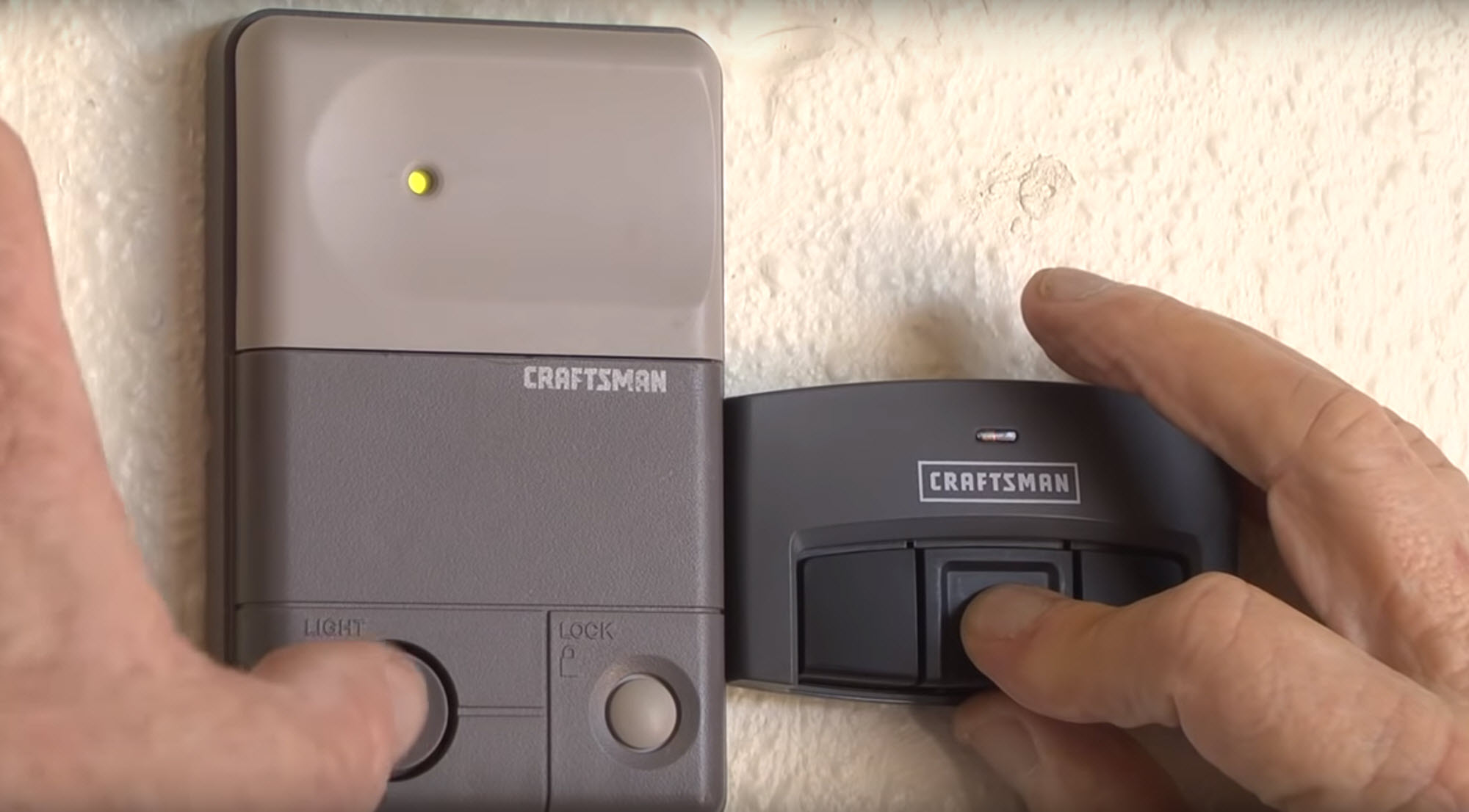
- Find the Learn button on the motor unit, near where the antenna wire hangs down. Its color and exact position vary by model year.
- Press and release the Learn button. Its indicator light stays lit for about 30 seconds.
- Within that time, press and hold the button you want to use on the remote until the opener's light blinks or you hear two clicks.
- Test with the door in sight and everyone clear. If it fails, check compatibility and repeat; do not erase other working devices as a routine first step.
If your remote has more than one button, repeat the process for each button you want to use.
Model differences to check first
Most Craftsman remotes from the last couple of decades use Security+ rolling code, which changes the transmitted signal every time you press the button, and the Learn-button process above. The button's color and position on the motor unit still vary by model. If what you see does not match these steps, use the manual or label for your specific opener rather than guessing.
Troubleshooting a Craftsman remote that stopped working
- Dead battery. This is the most common cause; see the battery section below.
- Out of range, or something blocking the line of sight to the opener's antenna.
- Lost programming. Reprogram it with the steps above.
- Interference from another wireless device, or a glitch in the opener's electronics.
If a fresh battery and reprogramming do not fix it, the remote or the opener's receiver has likely failed.
Which battery does it take?
Craftsman remotes use either a 12-volt A23 alkaline battery or a 3-volt lithium coin cell, depending on the model. Check your remote's battery compartment, it is usually labeled, or the manual, to confirm which one yours takes before you buy a replacement.
Common questions
Can I program a used Craftsman remote?
Yes, if it is compatible. Pair it using its model-specific instructions; erasing other devices is not normally needed to add a used remote.
Can one remote control two garage doors?
If the remote has more than one button, yes. Program each button to a different opener using the steps above.
I lost my remote. What now?
Clear it from the opener's memory first so it can no longer open your door, then program a replacement the same way.
What is the range of a Craftsman remote?
It varies by model, obstructions and interference from other wireless devices. Test yours from your driveway rather than relying on a published number.
If reprogramming does not bring your remote back, 1A Garage Doors handles opener and remote repair across Sacramento. Call (916) 838-8182.


Share:


