
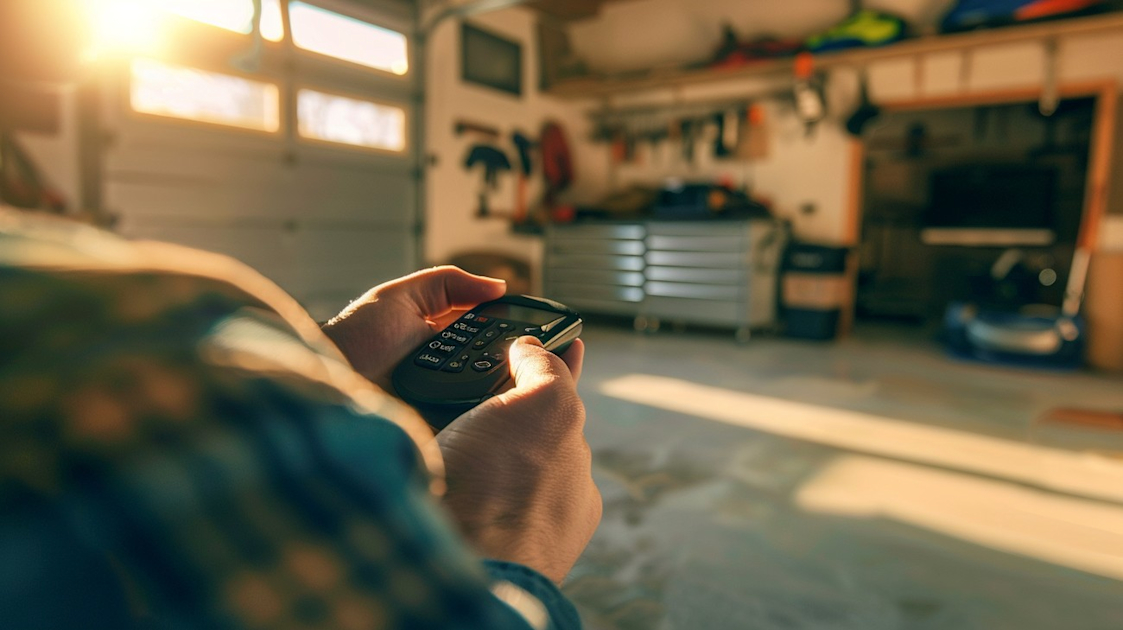


Modern living often intertwines with technology to enhance convenience, and garage doors are no exception. The ability to control your garage door remotely provides much-needed convenience, security, and peace of mind. This comprehensive guide will walk you through the world of garage door remote programming, ensuring your garage door functions exactly the way you need it to.
Understanding Remote Programming
The foundational step in mastering garage door remote programming is understanding what it entails. It involves configuring your remote to communicate seamlessly with the garage door opener. This process links your remote's signals to the opener's receiver, allowing the door to open and close via remote commands.
Why Program Your Remote?
Programming your garage door remote unfolds numerous benefits:
- Convenience: Easily control your garage door without having to step out of your vehicle or home.
- Security: Enhance your home's security by ensuring only authorized remotes can open the garage door.
- Efficiency: Streamline your daily routine by having fast and easy access to your garage.
Tools You Need
Before diving into programming, gather the necessary tools. This ensures a smooth experience:
- The Remote: A functional and compatible remote control device.
- Garage Door Opener: A working garage door opener with a "Learn" or "Program" button.
- Stepladder: If your opener is mounted high, a stepladder may be needed to access the buttons.
- Owner's Manual: For model-specific instructions and guidance.
Identifying Your Garage Door Opener Type
Different garage door openers have varied programming procedures. Identify yours to follow tailored instructions:
- Chain Drive Openers: Use a chain to move the garage door.
- Belt Drive Openers: Use a rubber belt, offering quieter operation.
- Screw Drive Openers: Operate via a threaded steel rod.
- Smart Openers: Use Wi-Fi connectivity for advanced control and features.
Steps to Program Your Remote
Programming your garage door remote requires precision. The general steps which follow are crucial, though your specific model may have additional nuances:
1. Locate the "Learn" Button
- On most openers, the "Learn" button is located on the same side as the antenna wire, often under a light cover or on the rear housing.
2. Press and Release
- Press the "Learn" button - A timer period of about 30 seconds begins during which programming can occur.
3. Program the Remote
- On your remote, press the desired button to sync with the opener. The bulbs on the opener will flash or click, indicating successful programming.
4. Test the Remote
- Stand clear from the garage door and press the remote button to ensure it operates correctly.
5. Repeat for Additional Remotes
- If you have more than one remote, repeat the process for each, ensuring synchronization.
Troubleshooting Common Issues
Garage door remote programming can be straightforward, yet some common hurdles may arise. Here are solutions to typical challenges:
- No Response from Opener: Ensure the remote battery is fresh and properly positioned. The opener might be unplugged or experiencing a power issue.
- Weak Signal: A weak signal can occur due to interference; reposition your antenna or check for obstructions.
- Opener Doesn't Learn Remote: This can be due to exceeding the memory limit of your opener. Refer to the manual to clear previous codes.
Enhancing Security with Programming
Security is paramount when considering garage door remote programming. Implement the following safety measures:
Change Codes Regularly: Periodically update your remote and opener transmission codes for heightened security.
Erasing Old Codes: When moving into a new home or replacing a remote, erase all existing codes and reprogram.
Secure Storage: Keep your remote in a secure location, such as a locked vehicle or with your keys.

Garage Door Remote Programming FAQ
How do I program a garage door remote?
To program a garage door remote, first, locate the "learn" or "smart" button on your garage door opener unit, usually mounted on the ceiling of the garage. Press and release the "learn" button, which will activate the programming mode indicated by a flashing light. Within 30 seconds, press and hold the button on the remote that you wish to use for this garage door opener. Once the light on the unit stops flashing, release the button. The remote should now be programmed to operate your garage door.
Why is my garage door remote not working after programming?
If your garage door remote is not working after programming, several issues could be at play. Check the battery in the remote to make sure it is fresh and properly installed. Ensure that the remote is within range of the opener. Verify if the receiver on the garage door opener is functioning correctly. Additionally, interference from other devices or nearby electronics might affect the remote's signal. Repeating the programming process or consulting the manufacturer's manual for troubleshooting can also be helpful.
Can I program multiple garage door remotes to one opener?
Yes, you can program multiple garage door remotes to a single opener. This is particularly useful for families with several drivers. Follow the same programming steps for each remote you wish to connect. Keep in mind that most garage door openers have a limit on the number of remotes that can be simultaneously programmed, which typically ranges between five to seven. Check the specific capacity for your garage door model if you're encountering issues when adding additional remotes.
I lost my garage door remote. Can I reprogram a new one?
If you’ve lost your garage door remote, you can easily reprogram a new remote. Purchase a compatible remote for your garage door opener model. Once you have your new remote, follow the standard programming steps by pressing the "learn" button on your opener and then the button on your new remote. In some cases, you might need to first erase all existing remotes from the new system to prevent the lost one from operating the garage door.
Do I need a technician to program a garage door remote?
Most of the time, you do not need a technician to program a garage door remote, as the process is designed to be user-friendly. The programming steps are generally straightforward and can be completed with minimal tools. However, if you encounter persistent issues or if the opener or remote has unique features, seeking assistance from a professional could save time and prevent errors.
What should I do if my garage door remote is only working intermittently?
An intermittently working garage door remote can be frustrating. Start by checking the battery and replacing it if necessary. Examine the remote for physical damage that might be impacting its functionality. Ensure that no obstructions are blocking the signal between the remote and the opener. Electrical interference from nearby electronics can also cause issues. If the problem continues, try resetting the opener unit and reprogramming the remote.
Can a universal remote be programmed to work with my garage door opener?
Yes, in many cases, a universal remote can be programmed to operate your garage door opener. Universal remotes are designed to work with a variety of brands and models, but compatibility depends on the specific remote and opener in use. When purchasing a universal remote, make sure it supports your opener’s brand and type. Follow the universal remote programming instructions, which might differ slightly from the standard programming steps but are usually straightforward.
Is it safe to just reprogram my garage door remote if I move into a new house?
If you move into a new house, it's a good idea to reprogram any existing garage door remotes as a safety precaution. Start by erasing all existing codes from the garage door opener to ensure that any remotes the previous owner still possesses no longer work. You can then program any new remotes to the system. This process will help secure access to your garage and home.
Why is my garage door remote not communicating with the opener?
If your garage door remote isn’t communicating with the opener, the issue could be due to a depleted remote battery or interference disrupting the signal. Check to see if the antenna on the opener is intact and not obstructed. Be sure that the remote is programmed correctly by redoing the setup process. If you’ve verified these steps and the remote still doesn’t work, you may need to consider technical support or inspect both the remote and the opener for hardware issues.
How frequently should I test my garage door remote?
Testing your garage door remote’s functionality every few months is a good practice. Regular testing ensures that the remote is working properly and that your garage door opener responds as expected. This can prevent unexpected inconveniences and help you identify issues early, such as a weakening battery or signal interference, allowing you to address them before they become major problems.

Step-by-Step Guide
Tools/Materials Needed
- Garage Door Remote: Make sure it's compatible with your garage door opener system.
- User Manual: Check the manuals for both the garage door opener and the remote.
- Stepladder: To safely reach the garage door opener.
- Pen and Notepad: To jot down any codes or settings.
- Flashlight: If the garage is dimly lit.
- Safety Glasses (optional): To protect your eyes when working overhead.
Preparation Steps
- Check Compatibility: Before getting started, make sure your remote is compatible with your garage door opener. Consult the user manuals if you're unsure.
- Gather Materials: Collect all the tools and materials you'll need for the process.
- Ensure Safety: Clear your workspace of any obstacles, ensure good lighting, and wear safety glasses if necessary.
- Locate User Manual: Have your garage door opener’s manual on hand. It usually includes specific instructions that can be invaluable.
- Power Off For Safety: As a precaution, unplug the garage door opener or turn off power from the circuit breaker to prevent accidental opening or closing during the programming process.
Detailed Instructions
Access the Garage Door Opener:
- Use the stepladder to reach the garage door opener motor unit, usually mounted on the ceiling of the garage.
Find the "Learn" Button:
- Look for a button on the motor unit marked “Learn” or “Program.” This button is often located on the back or side of the motor unit.
Press the "Learn" Button:
- Once located, press and quickly release the “Learn” button. You should see an indicator light (usually a small LED) that starts to glow steadily or blink. This means the opener is in programming mode.
Program the Remote:
- Within 30 seconds of pressing the “Learn” button, press and hold the button on the remote that you wish to program. Hold this button until the garage door opener light, or a click sound, indicates programming is successful. This might take a few seconds.
Test the Remote:
- Press the programmed button on the remote. The garage door should respond by opening or closing. If it doesn’t, repeat steps 2-4.
Restore Power:
- If you turned off the power, make sure to turn it back on so that your garage door opener will operate as expected.
Tips for Success
- Mind the Timing: There is usually a limited window in which to press the remote button after activating the “Learn” button. Be prepared to move swiftly.
- Double-Check the Battery: Make sure the remote has full battery power; a weak battery might cause programming failures.
- Label Buttons: If your remote can control multiple doors, label each button during the programming to remember which controls what.
- Keep Manuals Handy: Having access to your manuals can provide specific troubleshooting advice for your particular models.
What to Do If Something Goes Wrong
- Check the Power: Ensure that the garage door opener is properly connected to power.
- Re-check Compatibility: Double-check that your remote is compatible with the garage door opener system.
- Examine the Remote: Make sure the remote control is working. Try replacing the batteries if you’re still experiencing issues.
- Consult the Manual: Specific models may have unique steps.
- Factory Reset: If all else fails, resetting the opener to factory settings might be necessary. Refer to your garage door opener manual for this process.
- Seek Professional Help: If you’re still encountering difficulties, it might be time to call in a professional technician to assist.

Common Mistakes to Avoid
1. Using the Wrong Remote
It's easy to assume that any garage door remote will work with your system, but this isn't always the case. Often, garage door systems are only compatible with specific remotes.
Why it happens: With so many universal remotes on the market, it's tempting to select one without checking compatibility details.
How to avoid it: Before purchasing a new remote, consult your garage door opener's manual or contact the manufacturer to ensure compatibility.
What to do if you've already made the mistake: If you have an incompatible remote, check if it can be returned or exchanged for the correct one.
Expert recommendation: Stick with original parts provided by the manufacturer whenever possible for hassle-free programming.
2. Incorrect Button Sequence
Following the correct button sequence is crucial to programming success; missing a step or using the wrong order will halt the process.
Why it happens: Instructions can be misinterpreted, especially if the manual is confusing or missing.
How to avoid it: Review the manual carefully before starting and keep it on hand throughout the process. Most manufacturers also offer online resources, so check their website for video tutorials if you're a visual learner.
What to do if you've already made the mistake: Reset the remote by removing the batteries for a few minutes and starting over with a clear grasp of the sequence.
Expert recommendation: Make notes or print the steps from a trusted online resource to help you stay on track.
3. Low Battery Levels
Programming with a remote that has a low battery is often overlooked but can cause programming failures or erratic behavior.
Why it happens: Some assume that because the remote is turning on, the battery is adequate.
How to avoid it: Always begin with fresh or fully-charged batteries. It's a simple precaution that can save you time and frustration.
What to do if you've already made the mistake: Replace the batteries and try programming the remote again.
Expert recommendation: Regularly check the battery status, even after programming, to ensure continued functionality.
4. Misalignment with the Opener
The remote must be used within the correct range and angle for effective communication with the garage door opener.
Why it happens: New users often overlook how critical the positioning and distance of the remote can be.
How to avoid it: Refer to your opener’s user manual for recommended ranges and possible interference issues.
What to do if you've already made the mistake: Reposition yourself and attempt to reprogram the remote. Ensure there are no obstructions blocking the signal path.
Expert recommendation: When trying various positions, note the range and alignment that seems most effective for future reference.
5. Not Erasing Old Codes
Many often forget to erase previous programming settings on the opener before attempting to program new remotes, leading to confusion and malfunction.
Why it happens: It's possible to overlook this step if the information isn't prominently displayed in the instructions.
How to avoid it: Always begin by resetting the opener's memory. This step ensures you're starting with a clean slate, preventing older settings from interfering.
What to do if you've already made the mistake: Refer to your manual for steps on erasing codes from the opener, then proceed with programming again.
Expert recommendation: Regularly clear out old codes, especially if you've acquired or inherited pre-programmed remotes, to maintain security and efficiency.
6. Ignoring Safety Features
Many garage door systems come with additional safety features that are critical but often ignored during programming.
Why it happens: Programming instructions can be seen as complex, leading people to skip parts that seem non-essential.
How to avoid it: Thoroughly read the user manual to understand what safety features are in place and how to incorporate them during programming.
What to do if you've already made the mistake: If there's a safety feature you missed during programming, take the time to go back and activate it.
Final Thoughts
Garage door remote programming is a straightforward process that can enhance your convenience and security at home. We've covered the key steps to help you get your remote working seamlessly, whether you're syncing it for the first time or reprogramming it after a change. Remember, if you ever find yourself stuck or uncertain, there's no shame in reaching out for help; sometimes a quick refresh or assistance from a professional can save you time and frustration.
If you're a homeowner in Sacramento, CA, and prefer a hands-on approach, we invite you to connect with us at 1A Garage Doors. Our team of local experts is here to help with any garage door needs, from programming remotes to full installations. Let's ensure your garage door operates smoothly and securely – get in touch today for a consultation or to request a free estimate!


