
A LiftMaster Learn button pairs compatible remotes and keypads. On many models, briefly pressing it starts pairing, while holding it erases accessories. Wi-Fi settings and app access may need separate reset steps, and some wall controls use a different sequence. Identify the model before pressing or holding a button.
Where to find it
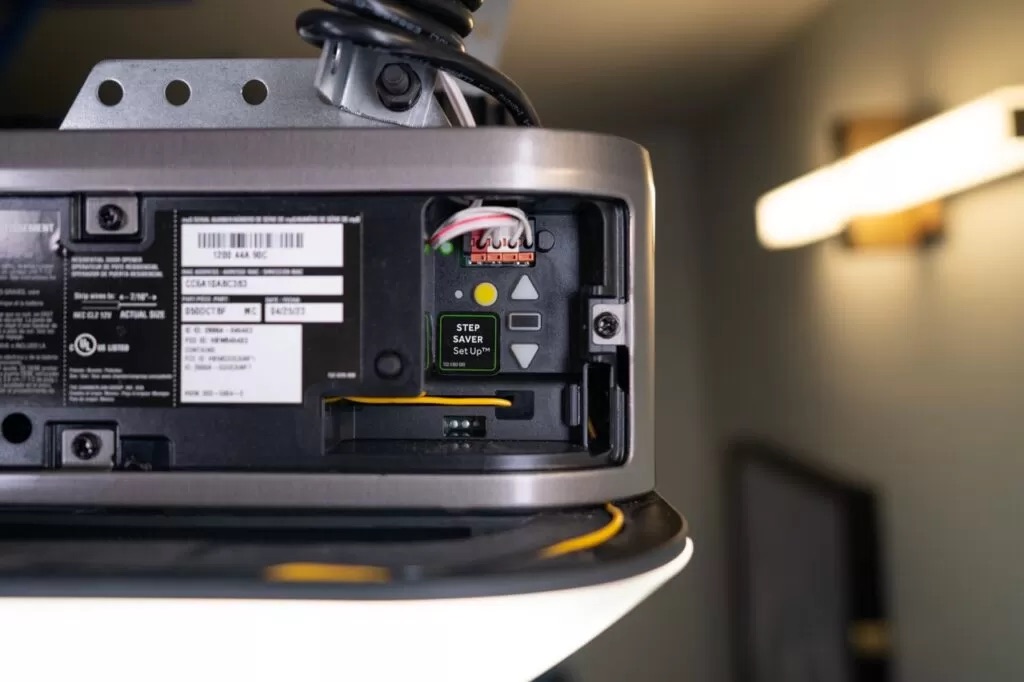
The Learn button is usually on the back or side of the motor unit, near where the antenna wire hangs down. LiftMaster has used several button colors over the years, purple, red, orange, yellow and green, roughly tracking different technology generations and frequencies. Color alone is not a reliable way to identify your exact model; check the opener's own model number or manual if you need to know precisely which generation you have.
Program a compatible standard remote or keypad
This common sequence is for models whose manuals specify it. MAX and universal accessories may need initial setup; some wall controls require two Learn presses. Keep the door in sight and its path clear.
- Press and release the Learn button. Its light will turn on or blink for about 30 seconds.
- Within that time, press and hold the button on the remote, or enter and confirm a code on the keypad.
- Release when the opener's light blinks, confirming the device is programmed.
Erase stored remotes and keypads
- Press and hold the Learn button until its indicator light turns off, typically around 6 seconds.
- This clears every remote and keypad code from the opener's memory.
- Program each device you want to keep again using the steps above.
Use this documented erasure when you have lost a remote or need to remove previous access. It is not required for ordinary pairing and does not by itself remove Wi-Fi settings, myQ ownership or app users; follow the model manual for those.
Troubleshooting
- Remote does not work after programming: check the battery and make sure you are within range.
- Can't find the Learn button at all: check your manual, since placement varies by model and generation.
- The light will not come on when you press Learn: unplug the opener for a few minutes, then plug it back in. If it still will not light up, the opener may need a technician.
Learn button questions
What does the Learn button's color mean?
It is a rough indicator of your opener's technology generation and frequency, not a universal standard. Confirm with your model number or manual when it matters, such as buying a compatible remote.
Can the Learn button program devices from other brands?
LiftMaster shares its platform with Chamberlain and Craftsman openers, so remotes and keypads built for those brands often work the same way. Always check compatibility before buying.
Does using the Learn button wear out the opener?
No. The opener's lifespan depends on use, maintenance and installation quality, not how often you program a remote.
My Learn button is broken. What now?
That is a job for a technician, since it usually means opening up the motor unit's electronics rather than something to troubleshoot from outside.
1A Garage Doors programs, troubleshoots and repairs LiftMaster, Chamberlain, Genie, Craftsman and Linear openers across Sacramento. Call (916) 838-8182.

Share:


