
To change a garage door keypad code, use the instructions for the keypad's model. Changing a known PIN, recovering a forgotten PIN and erasing access from the opener are different tasks. Do not hold the opener's Learn button unless you intend to erase other paired devices too.
If you know the current PIN
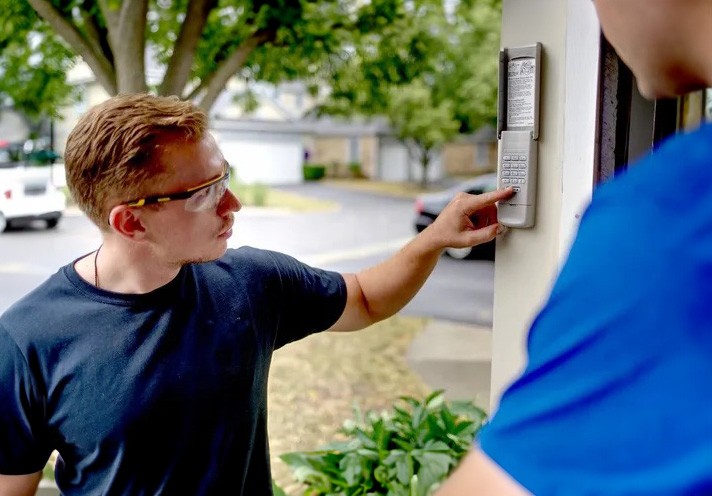
Use the keypad's change-PIN sequence. For a Genie GK-R, enter the current PIN, press Program, enter the new PIN, then press Program again. Test after the keypad light goes out. Other brands use different buttons; do not assume a missing Enter key means holding 0.
If you forgot the PIN
- Find the keypad model inside its cover or battery compartment and the opener model on its label.
- Confirm they are compatible and fit the specified fresh battery.
- Follow the model's PIN recovery or initialization steps, then pair it to the opener if required.
- Test the new PIN with the door in sight and everyone clear. Also check that the old PIN and any temporary codes no longer grant unwanted access.
A LiftMaster 877LM uses different setup from an 877MAX; a Genie GK-R differs from a universal keypad. Use the LiftMaster and Chamberlain keypad manual selector or Genie's PIN-change instructions.
Removing access after a move or lost device
Changing one keypad PIN does not necessarily remove other keypads, remotes, temporary codes or app users. Use the opener manual's accessory-erasure procedure when all old remote access must be removed, then pair the devices you want to keep. App ownership and shared users may need separate changes.
Hardwired keypads and failed resets
Hardwired keypads can use a separate controller or a manufacturer-specific master-code process. Do not apply wireless Learn-button steps or probe for a reset hole. Use the keypad/controller manual. If the correct sequence fails with a fresh battery and a working opener, have the keypad and receiver tested.
1A Garage Doors handles keypad installation and programming across Sacramento. Call (916) 838-8182.


Share:


